

Web design has become essential for business success in New Jersey’s competitive digital landscape, but many local companies encounter recurring challenges that hinder performance, conversions, and growth. The purpose of this article is to identify the common web design obstacles New Jersey businesses face, explain why they matter, and provide clear, practical solutions backed by experience, industry expertise, authoritative research, and best practices. With the New Jersey market positioned between major metropolitan areas like New York City and Philadelphia, local businesses need websites that not only look good but also perform well for search, conversions, and user experience.
Web Design Challenge Table Summary
When we are working with web design , we often come across different web design challenges. Sometimes we have to remove things from website to make it work better and other times we need to add Important modules in order to run it smoothly. Lets discuss these challenges below.
| Challenge | Impact |
|---|---|
| Slow Speed | High bounce, low conversions |
| Poor Mobile Experience | Loss of mobile traffic |
| Weak Calls to Action | Low engagement |
| Poor SEO | Low visibility |
| Bad UX | High bounce, poor engagement |
| Content Issues | Users don’t resonate |
| Accessibility Gaps | Legal/UX risks |
| Tool/CRM Integration | Lost data & leads |
| Security Neglect | Hacks & downtime |
1. Slow Load Speed and Performance Issues
The Challenge
Slow websites frustrate users and reduce conversions. According to Google, as page load time increases from 1s to 3s, the probability of bounce increases by 32%.
Why It Happens
- Poor hosting infrastructure
- Large, unoptimized images and media
- Bloated scripts and themes
- Lack of caching and compression
How to Solve It
- Use a Content Delivery Network (CDN) (e.g., Cloudflare)
- Compress and serve images in modern formats (WebP)
- Minify CSS/JS files
- Choose fast, reputable hosting
Performance Benchmark Chart
| Metric | Poor Site | Optimized Site |
|---|---|---|
| Load Time | 5–8 seconds | <2 seconds |
| Bounce Rate | 60%+ | 20–35% |
| Conversion Rate | Low | High |
| Mobile Score (Google) | <50 | >75 |
2. Poor Mobile Experience
The Challenge
Nearly 60% of all global web traffic comes from mobile devices (Statista). Yet many sites remain desktop‑centric.

Why It Happens
- Non‑responsive design templates
- Hard‑to‑tap navigation
- Text too small to read
- Buttons are not optimized for touch
How to Solve It
- Implement responsive design (mobile‑first approach)
- Use readable fonts and accessible buttons
- Test across major mobile devices
- Use Google’s Mobile‑Friendly Test
Responsive design improves search rankings and user satisfaction.
3. Lack of Clear Calls to Action (CTAs)
The Challenge
Visitors often don’t know what action to take if CTAs are missing, hidden, or confusing.
Why It Happens
- Focus on design over function
- Lack of conversion strategy
- Generic button text (“Click Here”)
How to Solve It
- Use clear, benefit‑driven CTAs (e.g., Schedule a Free Consultation)
- Place CTAs at key interaction points
- Use contrasting colors for visibility
- A/B test CTA wording
4. Poor Search Engine Optimization (SEO)
The Challenge
Without SEO, even beautifully designed sites get minimal organic traffic.
Why It Happens
- Improper use of headings and meta tags
- Missing alt text on images
- Unoptimized content
- No local SEO strategy
How to Solve It
- Use semantic HTML tags (H1, H2, etc.)
- Optimize on‑page content for keywords
- Include local signals (NAP, Google Business Profile)
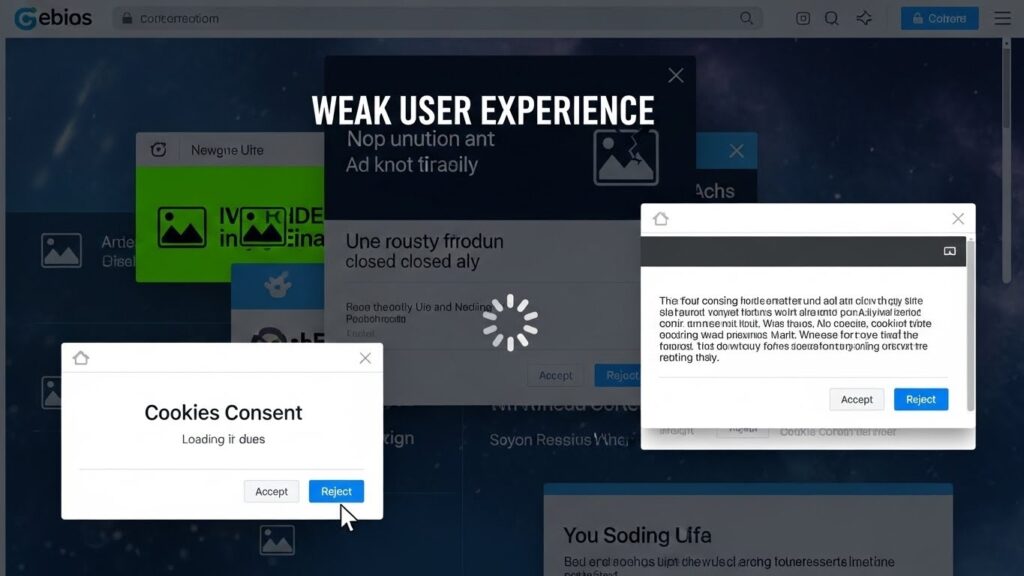
5. Weak User Experience (UX)
The Challenge
A complicated interface results in high bounce rates and lost leads.
Why It Happens
- Disorganized layout
- Confusing menus
- Too many distractions
- Lack of user‑centric flow
How to Solve It
- Simplify navigation hierarchy
- Use a clear information architecture
- Prioritize most‑used features above the fold
UX Design Impact Diagram
┌──────────────────┐
│ Good UX Design │
│ – Clear layout │
│ – Logical flow │
│ – Fast navigation│
└──────▲───────────┘
│
▼
┌──────────────────┐
│ Increased Engagement│
│ Better Conversions │
│ Lower Friction │
└──────────────────┘
6. Content Issues & Messaging Problems
The Challenge
Content that doesn’t speak to the audience can make a site feel irrelevant or confusing.
Common Causes
- Generic messaging
- Lack of value proposition
- Poor readability
- No content structure
How to Solve It
- Craft audience‑focused, benefit‑oriented copy
- Use Readability Improvement Tools
- Structure pages with subheadings and bullet lists
- Add testimonials and trust signals
7. Accessibility Compliance Challenges
The Challenge
Web accessibility ensures sites are usable by people with disabilities, but many businesses fail to comply.
Why It Matters
Accessibility is not only ethical, but it also impacts SEO and legal compliance.
How to Solve It
Follow Web Content Accessibility Guidelines (WCAG)
- Include alt text
- Provide keyboard navigation
- Ensure color contrast
- Use ARIA landmarks
8. Integration Problems with Business Systems
The Challenge
Sites that don’t integrate with lead capture, CRM, or analytics tools miss critical data and automation opportunities.
How to Solve It
- Sync forms with CRM (Salesforce, HubSpot)
- Use analytics platforms (e.g., Google Analytics 4)
- Implement marketing automation workflows
9. Security and Maintenance Neglect
The Challenge
Outdated plugins and weak security expose sites to hacks, data theft, and downtime.
How to Solve It
- Implement SSL certificates (HTTPS)
- Update platforms/plugins regularly
- Use firewalls and monitoring
- Regular backups
Why Web Design Matters for New Jersey Businesses
Web design is more than aesthetics; it’s a strategic business asset. A well‑designed site helps:
- Increase conversions (leads, sales, appointments)
- Build credibility and trust
- Improve local search visibility
- Enhance user experience (UX)
- Support mobile traffic growth
Despite this, many New Jersey businesses struggle with common design problems that undermine performance. The next sections break down these challenges and offer solutions.
Local New Jersey Market Implications
New Jersey’s market, spread across urban, suburban, and rural communities, demands nuanced design strategies:
- Local search optimization matters due to localized buyer intents (e.g., “best plumber in Hoboken”)
- Industry variation (healthcare vs. hospitality vs. B2B) changes information priorities
- Competitive pressures from nearby New York/Philadelphia markets make UX and speed even more critical
- Mobile usage varies by region, especially in commuter areas, making fast, mobile-first websites essential.
- Trust signals matter more locally, with reviews, testimonials, and clear contact details influencing decisions.
- Diverse and multilingual audiences require inclusive, accessible design and, when needed, multilingual support.
Expert Opinion & Best Practices
Adopt Mobile-First Design
Design websites starting with mobile screens to ensure fast loading, intuitive navigation, and consistent experiences across all devices. Utilizing responsive frameworks and optimizing images enhances performance and decreases bounce rates.
Best Practices
- Design layouts with mobile screens as the foundation
- Use responsive frameworks for all screen sizes
- Test usability across multiple devices
- Optimize images and content for faster loading
Use Data to Drive Design Choices
Data-driven design improves usability and conversions by aligning layouts, content, and navigation with real user behavior rather than assumptions.
Best Practices
- Analyze user behavior using Google Analytics and heatmaps
- Track key actions such as clicks and form submissions
- Optimize layouts using performance insights
- Continuously test and refine design elements
Prioritize Accessibility and Inclusivity
Accessible design ensures usability for all users while improving engagement, SEO performance, and compliance with accessibility standards.
Best Practices
- Add descriptive alt text for images and media
- Maintain readable font sizes and strong color contrast
- Support keyboard navigation and screen readers
- Follow WCAG accessibility guidelines
Maintain & Iterate Continuously
Ongoing maintenance and optimization ensure websites remain secure, relevant, and aligned with evolving user expectations and business objectives.
Best Practices
- Conduct regular speed and UX audits
- Refresh content to match user intent and trends
- Monitor performance and engagement metrics
- Apply continuous improvements to design and functionality
Conclusion
Web design challenges in New Jersey businesses are real and impactful, but they can be solved by following data-driven strategies, user-centric design principles, and modern SEO practices. By addressing performance, mobile experience, UX, content, accessibility, and integrations, companies can create websites that not only look great but also drive measurable business results.
Research from high‑authority sources like Google, Statista, and W3C WCAG supports these solutions and illustrates that better-designed websites earn trust, visibility, and conversions.
Frequently Asked Questions (FAQs)
Do you offer local SEO services for “near me” and map results in NJ?
Yes, we provide local SEO services focused on “near me” searches and Google Maps rankings across New Jersey. Our strategies optimize your Google Business Profile, local keywords, citations, and reviews to improve local visibility and leads.
Can you help my business show up on Google even if I don’t have a physical storefront?
Yes, your business can appear on Google even without a physical storefront by using a service-area business setup. We optimize your Google Business Profile, local SEO signals, and location-based keywords to help you rank in local search results.
What is the best approach to website design?
The best approach to website design is user-centered and goal-driven, with afocus on clear navigation, fast load speed, mobile responsiveness, strong visuals, and content that guides users toward action while supporting SEO and accessibility.
How do I ensure my website works well across all devices and browsers?
To ensure your website works well across all devices and browsers, use responsive design with flexible layouts and media queries, conduct cross-browser testing on major browsers (Chrome, Firefox, Safari, Edge), and regularly test on various devices to optimize performance, usability, and accessibility.
What is the biggest web design mistake businesses make?
The biggest web design mistake businesses make is focusing on aesthetics over functionality, creating visually appealing sites that are slow, confusing, or hard to navigate. This leads to poor user experience, low engagement, and reduced conversions.