
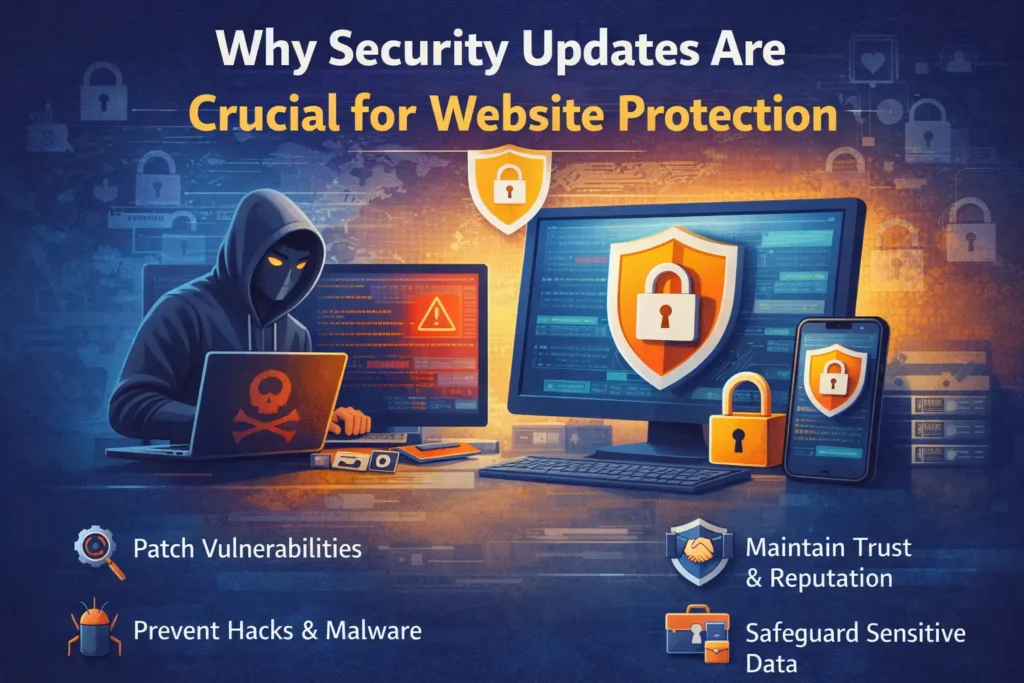
Security updates are essential for protecting your website from evolving cyber threats. Hackers constantly look for vulnerabilities in outdated software, plugins, and themes. Regular updates patch these security gaps, reducing the risk of malware infections, data breaches, and unauthorized access.
Beyond protection, updates also help maintain website performance, compatibility, and stability. They ensure your site meets the latest security standards, protects user data, and preserves customer trust. Ignoring updates may save time short-term, but it can lead to costly downtime, reputational damage, and lost revenue in the long run.
To continue taking care of the website, check out our website maintenance services to keep your site safe and up to date.
What Are Security Updates and Why Do They Matter?
Security updates are used as defence mechanisms that seal off points of entry before the attacker can exploit the loopholes.
Patches and fixes that are issued by software vendors to:
- Close the known weaknesses that can be used by attackers.
- Strengthen encryption protocols including the SSL/TLS.
- Increase the stability and performance of the software.
- Withstand new cyber threats in the wild.
- Ensure adherence to the standards of data protection.
Various components may be upgraded and they include:
- WordPress, Joomla or Drupal as the base software.
- Plugins and extensions
- Themes
- Server and backend software
- Security modules and firewalls
Any failure to update these components makes them susceptible to attack just like having a front door open to intruders.
What Happens When You Ignore Security Updates
Websites that skip security updates expose themselves to multiple serious risks:
1. Hackers Gain Easy Entry
Attackers proactively scan the internet for old CMS installations and identify vulnerable plugins. Suppose that there was a patch to correct that bug, but you did not apply it, the attackers will use it.
2. Malware and Ransomware Can Infect Your Site
The code used with bad intentions injected into your site can be used to propagate malware, encrypt data, or redirect the traffic to the malicious sites.
3. Sensitive Data Can Be Stolen
The use of old software is more likely to result in a data breach, as the data about the customers, payment methods, and logins can be exposed.
4. Business Disruption and Downtime
Security incidents often force websites offline. Recovering from attacks takes time and can halt operations entirely, meaning lost leads, sales, and reputation.
5. SEO Fines and Blacklisting
Engines such as Google can display compromised websites as unsafe or hijacked, a factor that is dropping significantly in ranking or is no longer displayed in the search results.
Real-world Reddit developers summarize this risk well:
“Make it a priority to install updates promptly and regularly … staying protected against emerging threats.” — Reddit cybersecurity community.
How to Stop Updates Breaking Your Site
Updating WordPress core, themes, and plugins is critical for security, but running updates without a strategy can cause layout glitches or broken site functionality. Following a systematic process ensures your site stays safe without breaking:
- Use a Staging Environment: Test updates on a copy of your site before pushing them live to catch conflicts safely.
- Always Take a Full Backup: Save a fresh backup of your database and site files prior to running any updates so you can restore instantly if needed.
- Update Plugins One by One: Avoid bulk updates. Updating plugins individually helps you quickly identify the culprit if an issue occurs.
- Perform a Post-Update Audit: Immediately check your main navigation, contact forms, and key landing pages after updating to ensure everything functions properly.
How Do Updates Actually Protect Your Website?
Here’s a clear comparison of how updates counter some common attack types:
| Threat Type | How Updates Help |
|---|---|
| Vulnerability Exploits | Patch known holes before attackers find them |
| Malware & Ransomware | Fix exploitable code that malware uses |
| Data Theft | Strengthen encryption and access controls |
| SEO Blacklisting | Reduce chances of being flagged as unsafe |
| Downtime | Bug fix and enhance stability |
Frequent updates minimize the attack surface, i.e., there are fewer opportunities available to attackers to attack your site.
Real Data on the Risk of Being Outdated
Research shows that approximately 60% of data breaches are caused by unpatched vulnerabilities, and 57% of cyberattack victims say applying a patch would have prevented the breach.
In addition, the known vulnerabilities are frequently used even after patches have been published, and the attackers rely on them as the main access points to the systems.
Research and business experience point to the actual effect of not updating:
- Companies that perform their vulnerability testing and patches on a timely basis can minimize security incidents by up to 40%.
- According to industry reports, over 50% of data breaches exploit vulnerabilities for which patches were already available.
- Website malware and injection attacks often originate from unpatched software components.
These numbers indicate that the security updates are not only the best practice, but also provide protection against actual threats.
Will Updated Websites Be Faster and More Stable?
Security patches often include fixes beyond vulnerability closing:
- Improved loading speed and UX
- Better compatibility with plugins and themes
- Stability enhancements reducing crashes
- Support for newer browsers and devices
Security studies have stated that regular updates not only increase the level of protection, but can also shorten the exposure to threats by a margin of up to 80% and also have more efficient processing by as much as 25%.
Older versions of CMS may slow down websites, display problems, or induce compatibility problems.
What Developers Are Saying on Reddit About Security Updates
Here’s how web professionals and developers talk about security updates on forums:
- “Updating your CMS, plugins, and themes is essential, as outdated websites are easy targets.” — Reddit user.
- “Regular security updates and patches ensure your website is protected from known vulnerabilities.” — Web security discussion.
- “Proactive maintenance like updates and backups, is far more effective than reacting to a breach.” — Security forum consensus.
These community insights align with what top web security resources emphasize: maintained systems are safer, faster, and more reliable.
Checklist: What You Need to Update Regularly
Your website’s security depends on keeping all of the following up to date:
| Component | Why It Matters |
|---|---|
| CMS Core | Fixes baseline security holes |
| Plugins & Extensions | Often targeted by hackers |
| Themes | Incompatibilities can create vulnerabilities |
| Server Software | Ensures backend protection layers |
| Security Modules/WAF | Keeps protective rules current |
Any component that has not been patched is a source of risk and hence a detailed update strategy is crucial.
Best Practices for Preventing Website Breaks During Security Updates
1. Automate Critical Updates
Enable automatic updates where feasible. Many CMS and plugins allow this, so you never miss vital patches.
2. Monitor Update Releases Weekly
Check for new updates, especially for plugins or components that don’t automate.
3. Back Up Before Major Changes
The most important thing is to always make backups of your site before making any updates, so that you can roll back in case of necessity.
4. Test in a Staging Environment
Test on a staging environment to confirm its functionality and also to do verification and test on a test server.
5. Audit Plugin and Clean Up Old Extension
The user needs to uninstall some of the outdated long-overdue plugins.
6. Educate Your Team
Train employees on fresh meaning and fresh practices, e.g. robust passwords and MFA.
Conclusion
Security patches are among the best to ensure that your webpage is not compromised by emerging challenges, data breaches, search engine penalties and regulatory problems.
They seal the cracks, enhance performance as well as make your digital image consistent and credible.
Not updating is not only dangerous, but it also provides an easy target to your site. Ability to proactively maintain avoids headaches, secures your users, saves your reputation and assists you to remain competitive online.
Contact us today to get professional maintenance and security for your site to guarantee that your site remains secure, compliant, and updated with the newest security measures.
FAQs
1. What should be the frequency of security updates?
Install security updates immediately when they become available, particularly critical security patches on security. As a rule, every week is sufficient for CMS, extensions and server programs frequently require urgent updates once the new corrections are announced.
2. Will my site be broken by any website updates?
Not often, but may occur when the plugs or themes are outdated. To avoid this, back up a copy of your site and make changes later and also check the changes in a staging environment before modifying your site.
3. Should it be enabled to allow auto-updates?
Yes, auto updates mean critical patches are implemented fast, giving less time to attackers to gain access to vulnerabilities that are known. Nevertheless, they should always be accompanied by reservations.
4. Does a security update assist in SEO?
It is true that the safe and updated sites are less prone to being regarded as unsafe, and they tend to be more successful, which may improve your search positions in the long-term.
5. What would happen if I do not pay attention to updates?
Lack of updates exposes your site to attacks, data loss, downtime, and even penalties imposed by search engines which are usually attracted to vulnerabilities already fixed by hackers.