
Did you know that 75% of consumers judge a business’s credibility based on its website design? Your website is more than just a digital storefront, it’s your brand’s first impression, sales tool, and ambassador all in one. A well-crafted site builds trust and guides visitors to become loyal customers, while a poorly designed one can drive them straight to your competitors.
To design a website that is both visually appealing and functional, it’s essential to focus on key principles. The 7Cs of website design provide a proven framework for creating an effective site.
- Clarity
- Consistency
- Content
- Context
- Communication
- Credibility
- Conversion
By implementing these principles, you can enhance your website’s user experience and drive business growth.
Clarity: Making Your Message Clear and Concise
When a visitor lands on your website, they should immediately understand who you are and what you offer, that’s the essence of the 3 Second Rule in Web Design. If your message is confusing, people won’t stick around to figure it out. Clarity in design means communicating your purpose quickly and effectively, ensuring every element has a clear function.
Your homepage is your business’s digital front door. It must instantly tell visitors who you are, what problems you solve, and why they should choose you.
- How to achieve clarity:
- Simplify your language: Avoid jargon and industry-specific terms. Write in a way that is easy for your target audience to understand.
- Prioritize visual hierarchy: Use headings, subheadings, and white space to organize information. The most important elements, like your unique selling proposition, should stand out.
- Use intuitive icons: Icons can communicate ideas faster than words. For example, a shopping cart icon is universally understood for an e-commerce site’s checkout process.
- Simplify your language: Avoid jargon and industry-specific terms. Write in a way that is easy for your target audience to understand.
Reference:
- Nielsen Norman Group (NNG) emphasizes the importance of clear, concise content in guiding users effectively (Source: Nielsen Norman Group, “Website Usability and User Experience Guidelines”)
Consistency: Building a Cohesive User Experience
Consistency is what ties your entire website together into a seamless experience. It means that design elements like colors, fonts, and button styles should look and behave the same way across every page. This predictability makes your site easier to navigate and reinforces your brand identity.
Imagine reading a book where the font style changes with every chapter. It would be disorienting and frustrating. The same principle applies to your website. A consistent design reassures users and helps them feel comfortable as they explore your content.
- How to achieve consistency:
- Create a style guide: A style guide documents your brand’s colors, typography, logo usage, and button styles. This ensures everyone working on the site follows the same rules.
- Use templates: Design reusable templates for common page types like blog posts, product pages, and contact pages. This saves time and ensures a uniform look.
- Maintain a consistent tone: The language and tone of your content should align with your brand personality on every page.
- Create a style guide: A style guide documents your brand’s colors, typography, logo usage, and button styles. This ensures everyone working on the site follows the same rules.
Reference:
- According to Smashing Magazine, consistent design reduces cognitive load and makes websites easier to navigate (Source: Smashing Magazine, “Creating a Cohesive Design System”) .
Content: Creating Valuable and Relevant Information
While design attracts visitors, high-quality content is what keeps them engaged. Your website’s content should be valuable, relevant, and tailored to the needs and interests of your target audience. It’s the substance of your site the articles, product descriptions, and information that answer your users’ questions and solve their problems.
Think of your website as a conversation with your customers. Your content should provide them with the information they are looking for, building your authority and establishing trust along the way.
- How to create great content:
- Know your audience: Understand their pain points, questions, and goals. Create content that directly addresses their needs.
- Focus on quality over quantity: It’s better to have a few well-researched, in-depth articles than dozens of short, superficial posts.
- Keep it fresh: Regularly update your content to ensure it remains accurate and relevant. A blog is a great way to consistently add new, valuable information to your site.
- Know your audience: Understand their pain points, questions, and goals. Create content that directly addresses their needs.
Reference:
- Content Marketing Institute highlights the importance of relevant, engaging content in building long-term relationships with users (Source: Content Marketing Institute, “The Importance of Quality Content in SEO”) .
Context: Designing with Purpose and Relevance
Context is about understanding why users are visiting your site and designing an experience that meets their expectations. The design and functionality should align with the purpose of the website and the needs of the user. For instance, an e-commerce site needs a different design than a non-profit organization’s informational site.
A visitor looking to buy a product has different goals than someone seeking information for a research project. Designing with context in mind means creating a user journey that feels natural and logical for each type of visitor.
- How to design for context:
- Define your website’s goals: What do you want users to do? Buy a product? Fill out a form? Sign up for a newsletter? Every design decision should support these goals.
- Understand user intent: Use analytics and user research to learn why people are coming to your site. Are they looking for information, comparing products, or ready to make a purchase?
- Tailor the experience: Customize landing pages and content for different audience segments. For example, show different offers to new visitors versus returning customers.
- Define your website’s goals: What do you want users to do? Buy a product? Fill out a form? Sign up for a newsletter? Every design decision should support these goals.
Reference:
- UX Design blog offers insights into designing contextual user journeys for better conversion (Source: UX Design, “Creating User-Centered Experiences”).
Communication: Enhancing User Interaction
Effective communication is the bridge between your website and your users. It goes beyond your written content to include navigation, feedback messages, and contact options. Your website should facilitate a two-way dialogue, making it easy for users to find what they need and for you to guide them.
Visitors should never feel lost when browsing your site. Good navigation acts like a roadmap, helping users find what they’re looking for without frustration. Clear menus, breadcrumbs, and a search bar are all crucial communication tools.
- How to improve communication:
- Streamline your navigation: Organize your site into logical categories. Keep your main menu simple and descriptive.
- Provide clear feedback: When a user completes an action, like submitting a form, provide a confirmation message. This lets them know their action was successful.
- Make it easy to get in touch: Display your contact information prominently. Include a contact form, email address, and phone number so users can reach you easily.
- Streamline your navigation: Organize your site into logical categories. Keep your main menu simple and descriptive.
Reference:
- A study by Baymard Institute emphasizes that poor navigation directly leads to higher bounce rates (Source: Baymard Institute, “Website Navigation and its Impact on User Experience”) .
Credibility: Building Trust Through Design
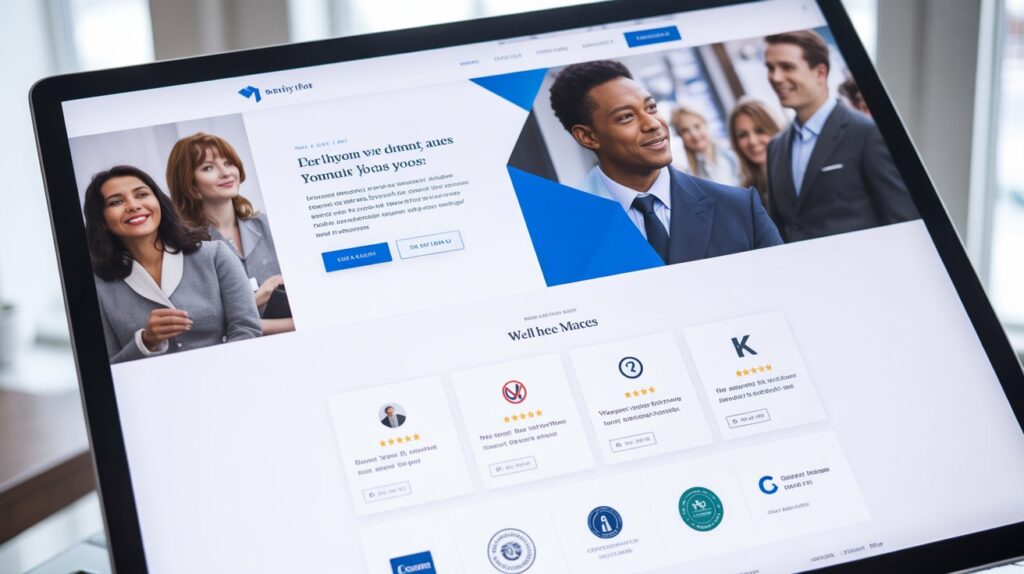
Credibility is about making your visitors feel confident that your business is legitimate and trustworthy. In the digital world, where skepticism is common, a professional and transparent website is essential for building trust. Design quality, social proof, and security are all key components of credibility.
A poorly designed website with typos and broken links will immediately raise red flags. On the other hand, a polished, secure site with positive customer reviews will make visitors feel safe and willing to engage with your brand.
- How to build credibility:
- Invest in professional design: A clean, modern design signals that you are a serious and reputable business.
- Showcase social proof: Display customer testimonials, reviews, case studies, and logos of well-known clients. This shows that other people trust your brand.
- Secure your site: Use an SSL certificate to encrypt data and display the padlock icon in the browser. This is especially important for e-commerce sites that handle sensitive customer information.
- Invest in professional design: A clean, modern design signals that you are a serious and reputable business.
Reference:
- Forbes stresses that credibility through transparent design is a major factor in user trust and decision-making (Source: Forbes, “The Role of Web Design in Building Trust”) .
Conversion: Turning Visitors into Customers
The final and most crucial C is Conversion. All the other principles work together to lead visitors toward this goal. A great website guides visitors toward a specific action, whether it’s making a purchase, booking a service, or signing up for updates. This is achieved through strategic design elements like compelling calls-to-action (CTAs).
Your CTAs are the buttons or links that encourage users to take the next step. They should be prominent, clear, and persuasive. Elements like landing pages and forms are also designed specifically to capture leads and turn visitors into customers. By optimizing these conversion-focused elements, you can transform your website from a simple online brochure into a powerful business tool.
- How to optimize for conversion:
- Create strong CTAs: Use action-oriented language like “Get Started Today,” “Shop Now,” or “Download Your Free Guide.” Make your CTA buttons stand out with contrasting colors.
- Design effective forms: Keep your forms short and simple. Only ask for essential information to reduce friction and increase completion rates.
- Develop targeted landing pages: Create dedicated landing pages for specific campaigns or offers. This focused approach removes distractions and guides users toward a single conversion goal.
- Create strong CTAs: Use action-oriented language like “Get Started Today,” “Shop Now,” or “Download Your Free Guide.” Make your CTA buttons stand out with contrasting colors.
Reference:
- OptinMonster shares expert strategies for improving website conversions through optimized CTAs and design (Source: OptinMonster, “How to Boost Conversions with Better Website Design“) .
From Principles to Profit
The 7Cs of website design provide a comprehensive roadmap to build a profitable website that is not only beautiful but also highly effective. By focusing on Clarity, Consistency, Content, Context, Communication, Credibility, and Conversion, you can build a digital presence that engages users, builds trust, and ultimately drives business growth.
Take some time to evaluate your own website against these seven principles. Identify areas for improvement and start making small, strategic changes. With each enhancement, you’ll be one step closer to creating a website that works as hard for your business as you do.
Further Reading:
- The Impact of Website Design on User Behavior (Source: Journal of User Experience and Design).
- How User Experience Design Affects Conversions (Source: ConversionXL Research Report).
Conclusion
In today’s competitive digital landscape, the success of your website is no longer just about looking good it’s about functionality, trust, and driving conversions. The 7Cs of website design Clarity, Consistency, Content, Context, Communication, Credibility, and Conversion serve as a guide to creating a user-friendly and results-driven online presence. By incorporating these principles into your website, you can enhance user experience, foster trust, and turn visitors into loyal customers. Start evaluating your website through the lens of these seven pillars, and you’ll be well on your way to building a site that not only attracts visitors but also supports business growth.
Frequently Asked Questions
What are the 7Cs of website design?
The 7Cs are Clarity, Consistency, Content, Context, Communication, Credibility, and Conversion, which are key principles for creating an effective website.
Why is website clarity important?
Clarity ensures that your visitors understand who you are and what you offer immediately, improving user engagement and reducing bounce rates.
How can I maintain consistency across my website?
Create a style guide, use templates, and ensure the same tone and design elements are used across all pages to reinforce a cohesive experience.
What role does content play in website design?
High-quality, relevant content keeps visitors engaged and helps build trust, making it a key driver for user retention.
Why is communication important in web design?
Effective communication through clear navigation, feedback, and contact options ensures users can easily interact with your site and find what they need.
How can I build credibility on my website?
Invest in professional design, showcase social proof like reviews and testimonials, and ensure your site is secure with an SSL certificate.
What is conversion optimization in web design?
Conversion optimization focuses on using strategic design elements like clear calls-to-action (CTAs) and user-friendly forms to guide visitors toward taking desired actions, such as making a purchase or signing up.