

A website is often the first place customers visit when they want to learn more about your business. Whether you run a local service company, a shop, or an online brand, your website needs to clearly explain what you offer, build trust, and guide visitors toward taking action. The features you include play a major role in how customers interact with your site and how effectively your website supports your goals.
In this guide, we’ll go over 10 essential website features that every small business website should have, along with detailed explanations and practical examples to help you understand why each feature matters.
1. Mobile-Responsive Design
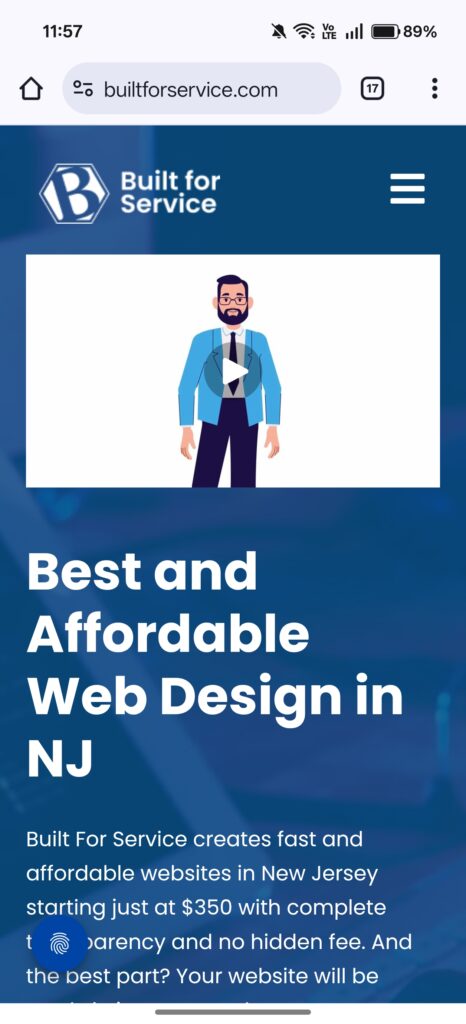
A mobile-responsive design ensures your website looks and works properly on all screen sizes, desktops, tablets, and especially smartphones. Today, most people browse the internet from their phones. In fact, Statista reports that over 58% of global website traffic comes from mobile devices. This means a website that isn’t mobile-friendly can instantly lose more than half of its potential customers.
A responsive website automatically adjusts its layout, images, fonts, and spacing so customers can easily read content and access information. Google also prioritizes mobile-friendly websites in search results, so responsiveness directly helps SEO.
Key benefits of responsive design:
- Makes your website easy to use on any device
- Improves user experience and reduces bounce rate
- Helps your site rank better on search engines
- Builds a more professional and trustworthy brand image
Simple responsiveness example:
On a desktop, your homepage sections may appear in two or three columns. On mobile, the layout stacks vertically so users don’t need to zoom in or scroll sideways.
Desktop → Multi-column layout
Tablet → Adjusted column spacing
Mobile → Stacked one-column layout
A responsive design ensures every visitor has a smooth, frustration-free experience regardless of the device they use.
2. Fast Loading Speed
Loading speed is one of the most critical website performance factors. Customers expect websites to load instantly, and even small delays can affect how they perceive your business. According to Google, a delay of just one second can reduce conversions by up to 20%.
A slow website is often caused by large images, unnecessary scripts, low-quality hosting, or unoptimized code. When your website loads slowly, users tend to exit before even reading your content, which increases bounce rate and hurts your search rankings.
Why fast loading matters:
- Improves user satisfaction
- Increases the chances visitors will stay longer
- Helps with SEO and search engine visibility
- Enhances conversion rates for calls, bookings, and inquiries
Factors that slow down websites:
- Uncompressed images
- Outdated or heavy plugins
- No caching
- Poor hosting environment
Optimizing your speed is one of the most effective improvements you can make, especially for small business websites where every visitor matters.
3. Clear and Simple Navigation Menu
Your website navigation is like a map that helps visitors quickly find what they’re looking for. A clear, easy-to-use navigation menu reduces confusion and helps customers understand your services, explore your content, and reach your contact information.
Visitors should be able to access your key pages, such as Home, About, Services, Service Area(s), Portfolio, Blog, and Contact, within one or two clicks. If your menu is cluttered or confusing, visitors may leave the site without exploring further.
Navigation best practices:
- Use short and simple labels (e.g., “Services,” “About,” “Contact”)
- Keep menu items between 5–7 to avoid overwhelming users
- Include a sticky header so the menu is always accessible
- Make sure mobile navigation uses a clear hamburger menu
Example menu structure:
Home | About | Services | Service Areas (optional/ if applicable) | Portfolio | Blog | Contact
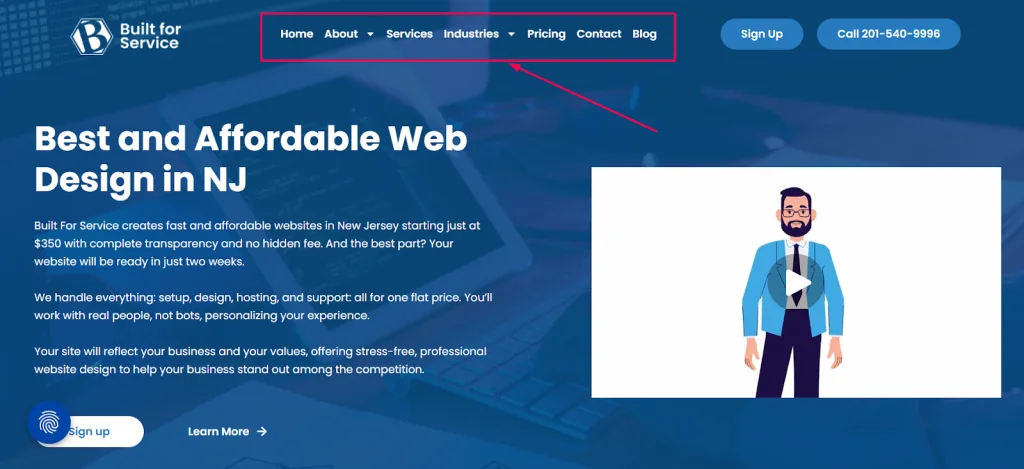
A well-organized navigation system helps visitors move smoothly through your website, encouraging them to learn more and take action.
4. Strong Calls-to-Action (CTAs)
A call-to-action guides visitors toward the next step you want them to take. Without CTAs, visitors may browse around but leave without contacting you or buying anything. Small business websites especially need clear CTAs that direct visitors to book a service, request a quote, or call your business.
Examples of effective CTAs:
- “Book a Free Consultation”
- “Call Now”
- “Get Your Free Quote”
- “View Our Pricing”
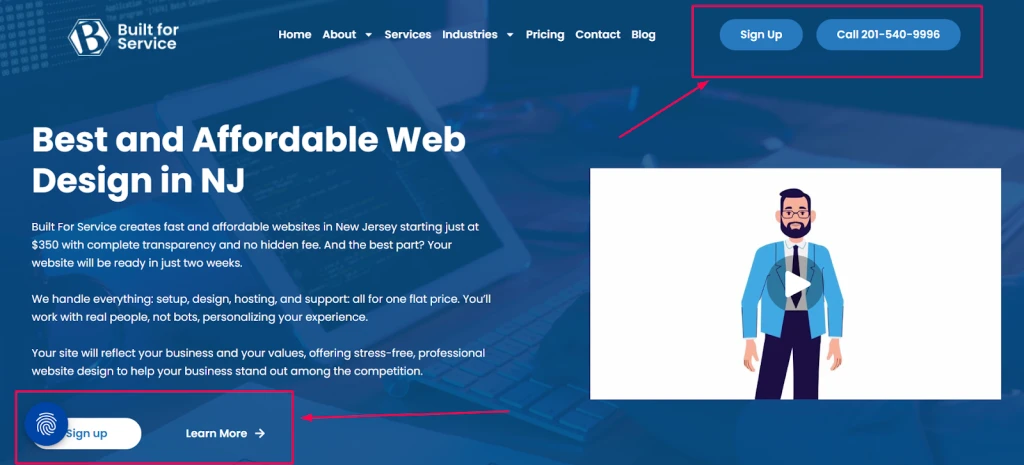
CTAs should be placed strategically throughout your site, at the top of the homepage, after key content sections, on your services pages, and in the footer. Each CTA should be clear, action-focused, and easy to spot.
CTA Placement Guide:
- Hero section: The first CTA users see
- Services pages: A CTA after each section
- Footer: Extra CTA for users who scroll to the bottom
- Blog posts: CTA encouraging readers to learn more or contact you
Strong CTAs help convert visitors into real leads and customers.
5. A Clear and Engaging Hero Section
The hero section is the large area at the top of your homepage. It is the first visual and text content users see and plays a major role in shaping first impressions. A hero section should immediately explain what your business does and how you help customers.
A good hero section includes:
- A simple headline that explains your service
- A short supporting sentence
- A CTA button
- A relevant image or illustration
Example hero content:
Headline: “Affordable Web Design for Small Businesses”
Support text: “Get a modern, responsive website that helps your business stand out and attract more customers.”
CTA: “Get a Free Quote”
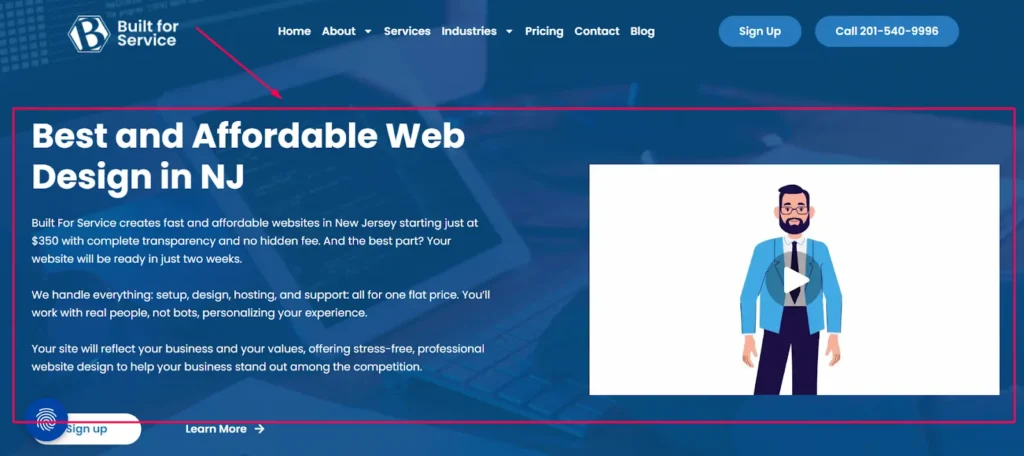
Your hero section should communicate your value clearly and make visitors want to explore the rest of your website.
6. About Page with Trust Elements
Visitors often check the About page to understand who you are and why they should trust you. For small businesses, the About page becomes an opportunity to build credibility and form a personal connection. People want to know who they’re dealing with before contacting you. always be an ideal agency.
A strong About page should include:
- Your brand story and background
- Your mission or what you stand for
- Photos of the team or workplace
- Certifications, awards, or achievements
- Years of experience or number of clients served
Trust-building elements you can add:
- Testimonials
- Media mentions
- Industry badges
- Partner logos
An effective About page helps customers feel confident that your business is reliable and professional.
7. Easy-to-Find Contact Information
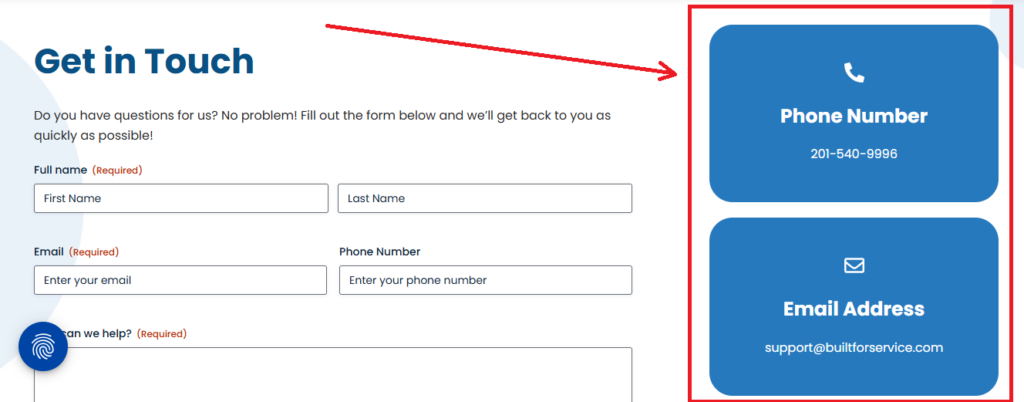
Customers should be able to reach you without struggling to find your details. Your Contact page should offer multiple ways for visitors to get in touch. The more convenient you make it, the more likely people are to reach out.
Your Contact page should include:
- A simple contact form
- Phone number with click-to-call functionality
- Email address
- Business address or service area
- A Google Maps embed (if you have a physical location)
Common contact methods:
Make sure your contact information is also visible in the header or footer so visitors can access it on every page.
8. Customer Reviews and Testimonials
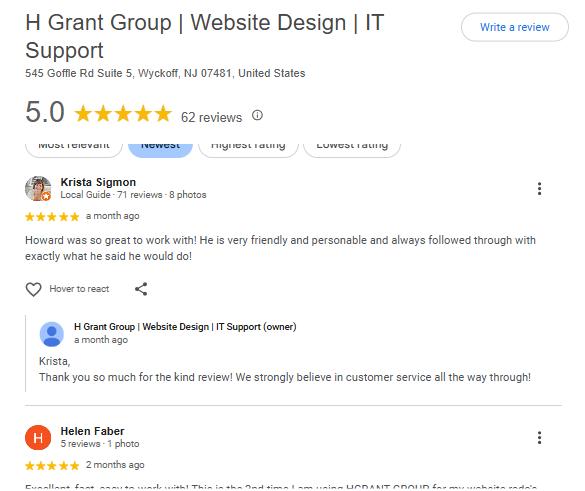
Small businesses rely heavily on trust and word-of-mouth. Adding customer reviews to your website helps build credibility and increases conversion rates. People are more likely to hire a business when they see proof of positive experiences from others.
Where to place testimonials:
- Homepage
- Services pages
- A dedicated testimonials page
- Footer or sidebars
Types of reviews to include:
- Written customer reviews
- Google Business Profile reviews (embed directly)
- Case studies
- Video testimonials
Reviews help reassure visitors that your business is reliable, experienced, and trustworthy.
9. SEO-Optimized Content Structure
Search engine optimization (SEO) helps your website appear on Google when potential customers search for services you offer. A strong SEO foundation ensures your content is discoverable and increases your website traffic over time. Your Aim always should be to make your website a revenue-generating asset.
Key SEO basics for small business websites:
- Use clear H1, H2, and H3 heading structure
- Include relevant keywords naturally in your content
- Add meta titles and meta descriptions
- Optimize your images with alt text
- Ensure your website loads quickly
- Write helpful, clear, and informative content
Tools to help with SEO:
- Google Search Console
- Google Keyword Planner
- Ahrefs
- Rank Math or Yoast SEO (if using WordPress)
By optimizing your content and structure, your website becomes easier for search engines to understand, which helps bring organic traffic.
10. SSL Certificate & Security Features
Security is essential for every small business website. An SSL certificate (HTTPS, as https://builtforservice.com/) ensures data sent through your website, such as form submissions, is encrypted and safe. Google marks websites without SSL as “Not Secure,” which can cause customers to leave instantly.
Why SSL is important:
- Protects customer information
- Helps boost SEO
- Builds trust with visitors
- Prevents browser security warnings
Beyond SSL, your website should also have:
- Regular backups
- Malware scans
- A firewall
- Spam protection for forms
Security helps keep your website safe and maintains customer trust.
Final Thoughts
A small business website doesn’t need to be complex, but it must be clear, fast, secure, and easy to use. By including these 10 essential features, you can create a website that builds trust, communicates your value, and helps customers take action. Each feature plays an important role in improving usability and supporting your business goals, whether you want more calls, more bookings, or more visitors exploring your services.
Frequently Asked Questions (FAQs)
How do I know which website features matter for my business?
Identify what your customers want to do on your website, book appointments, read services, learn about you, or contact you. Prioritize features that support those actions. For example, service-based businesses need a stronger CTA strategy, while local businesses need accurate contact info and local SEO.
How does a mobile-friendly website help my business?
Most users browse on phones. A mobile-responsive website improves readability, navigation, and loading speed, which increases engagement and prevents customers from leaving due to a poor mobile experience.
Why is loading speed such a big deal?
A slow website increases bounce rates and hurts your SEO. Users expect websites to load in under 3 seconds. Faster sites create a smoother experience and improve conversions.
Do small business websites really need SEO?
Yes. SEO helps customers find your business on Google. Even basic SEO optimized titles, proper headings, internal links, and quality content can drive consistent traffic.
What is the purpose of a hero section?
Your hero section is the first impression visitors see. It should quickly tell users who you are, what you offer, and how you can help them. A strong hero reduces bounce rate and increases conversions.