
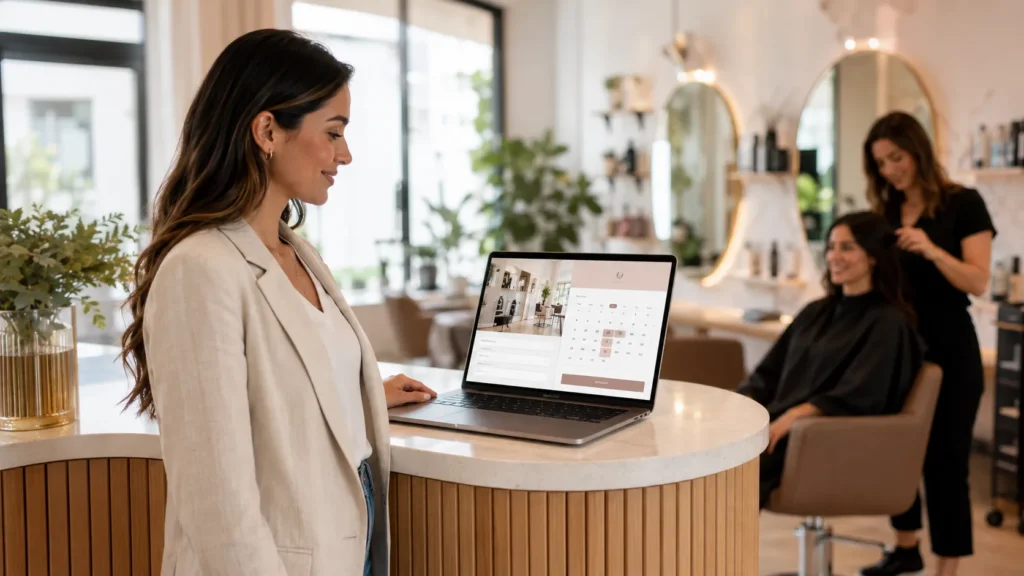
A salon gets more clients when its website loads fast on a phone, shows real prices and photos, and lets a new client book an appointment in under a minute without a phone call. That single page does the work a busy front desk cannot do after hours, turning a search for hair salon near me into a confirmed slot on the calendar. The right website is not a brochure. It is a booking machine that keeps working as you cut, color, and style.
Most beauty businesses already have a site. The problem is that it looks pretty and books almost nobody. The gap between those two outcomes comes down to a handful of design and search choices that any salon can fix.
Key Takeaways
- Salons with a website convert roughly 2.1 times more leads than salons without one, so the site itself is a growth lever.
- A mobile-first booking flow captures the client in the moment they decide, since most local beauty searches happen on a phone.
- Local SEO and a strong Google Business Profile decide if you show up when someone searches near me right now.
- Clear pricing, real photos, and reviews remove the hesitation that makes a first-time visitor leave.
- A pretty website that hides the booking button loses clients that a plain, well-built one would win.
Why Your Current Approach Might Not Be Working
Plenty of salon owners spend money on a website and then wonder why the chair stays half empty. The site usually looks fine. It just was not built to turn a stranger into a booking. Design that wins design awards and design that fills a Tuesday afternoon are rarely the same thing.
The common failure points repeat across the industry. Over 58% of all web traffic now comes from mobile devices, and the share is higher for local service searches like salons (Statista). A site that is built desktop-first makes a phone user pinch, zoom, and hunt for a booking link that never quite fits the screen. They give up and tap the next result.
Other silent leaks matter as much as layout. Salons that add integrated online booking see 65% more appointments booked outside business hours (Digital Roots Media), which is revenue a phone-only salon simply never captures. If your current setup sends every client to a call during opening times, you are closed to bookings for most of the day.
Run through this quick audit of the site you have now. If a couple of these are true, the website is working against you, not for you.
- The booking button is below the fold, buried in a menu, or missing on mobile.
- Prices are hidden, so a price-checking visitor bounces to a competitor who shows them.
- Photos are stock images of models, not real work from your own chairs.
- The site takes more than three seconds to load on a phone.
- There is no reason on the page for a first-time visitor to trust you over the salon next door.
Built For Service Offers Premium Templates for Salons
We create visually stunning hair salon websites built for luxury salon marketing. Our salon booking system gives clients effortless appointment scheduling, backed by unique templates designed to lift your organic traffic.
Every build is fast, mobile-first, and ready in about two weeks at a flat monthly price with no large upfront cost and handled by real people who manage the setup, design, hosting, and support. When you are ready to turn searches into standing appointments, browse our premium salon website templates and pick the look that fits your salon.
How to Get More Clients Through the Right Website
Six changes do most of the heavy lifting. Each one closes a specific gap between a visitor landing on your page and a client sitting in your chair. Work through them in order, and the calendar starts to fill on its own. The list below moves from the first impression a phone user gets to the small trust signals that push a hesitant visitor to tap the book button.
1. Make the Site Mobile-First, Not Just Mobile-Friendly
Your clients are not at a desk. They are scrolling between appointments, thinking they should finally book that balayage, and they have seconds of attention to give you. A mobile-first build designs for the small screen first and scales up, so buttons are large, fonts are readable, and the booking step never slips off the edge.
Mobile-first websites increase booking conversion by 37% (Marketing LTB), a jump that comes purely from removing friction at the moment someone decides. Test your own flow from your phone before anything else. If it feels cramped, every client feels it too.
The fix is not a shrunken version of a desktop page. It is a layout that treats the phone as the main event, since that is where the client actually is. Focus on these details:
- Design the smallest screen first, then let the layout grow for tablet and desktop.
- Use large, thumb-friendly buttons that a client can tap without zooming in.
- Keep the booking link visible without scrolling, on every page.
- Pick readable font sizes so nobody squints at your service list.
- Compress images so the page still loads fast on a phone signal.
2. Put Online Booking Front and Center
Calling to book is a barrier for a lot of people, since it means picking a time, waiting on hold, and talking through options. A booking widget placed at the top of the page removes all of that. Real-time availability, a mobile-friendly form, and an instant confirmation email turn a browser into a paying client in one sitting. This is the core of salon web design built to bring in bookings, where the booking step is the first thing a visitor sees rather than the last thing they find.
Salons that add integrated booking capture appointments long after the front desk goes home, which is money a phone-only setup never sees. Keep the flow short. Every extra field and every unnecessary step is a place where someone taps away. Treat an abandoned booking the way a store treats an abandoned cart, and send a gentle follow-up to bring them back. Build the booking experience around these rules:
- Place a book now button above the fold on the homepage and every service page.
- Show real-time openings so clients pick a slot that actually exists.
- Trim the form to the fields you truly need: name, service, time, contact.
- Send an instant confirmation and a reminder to cut no-shows.
- Add the same booking button to your Instagram and Facebook profiles.
3. Win Local Search With SEO and a Google Business Profile
When a neighbor searches for a salon, they rarely look past the top three map results. Local search drives roughly 78% of new salon bookings, far outpacing paid ads, Instagram, and referrals (The Local Gem). Ranking there is not luck. It comes from search engine optimization built on local keywords, service pages, and accurate business details that tell search engines exactly who you serve and where.
Your Google Business Profile does the other half of the job. It is the single most useful free tool a local salon has, and it decides if you appear when someone types a service plus your town into a phone. A profile with fresh photos, correct hours, and steady reviews wins the map pack that a bare listing never touches. Cover the local basics first:
- Target town and service keywords like balayage in your city on your pages.
- Build a separate page for each core service you offer.
- Claim and fully complete your Google Business Profile with photos and hours.
- Ask every happy client for a review and reply to each one.
- Keep your name, address, and phone identical across every listing.
4. Show Real Prices, Real Photos, and Real Reviews
A first-time visitor arrives with questions. What does it cost, what does your work look like, and can I trust these people? Answer all three on the page and hesitation disappears. Around two-thirds of clients expect to see pricing online, and a hidden price sheet reads as a red flag that sends them to a competitor who shows theirs.
Swap stock models for photos of your own team and your own results. Add three to five recent client reviews near the booking button, since social proof at the point of decision lifts booking confidence. Real faces and real numbers do more to convert than any slick animation. Put the trust signals where they count:
- List clear starting prices for each service so visitors can plan.
- Use before-and-after photos of real clients, with their permission.
- Feature genuine reviews near the book button, not buried on a side page.
- Introduce your stylists with short bios and their specialties.
- Show your real space so a first-timer knows what to expect.
5. Speed Up the Site So Nobody Waits
A slow page loses clients before they read a word. Every extra second of load time on mobile increases bounce rates, and beauty clients on the go have no patience for a spinning wheel. Fast-loading images, clean code, and reliable hosting keep visitors on the page long enough to book.
Speed helps you rank on top of that. Search engines fold page experience into local results, so a quick site earns better visibility and keeps the visitors it attracts. The two goals reinforce each other. A few technical habits protect your load time:
- Compress and correctly size every image before it goes live.
- Choose reliable hosting that holds up during busy booking hours.
- Cut heavy plugins and scripts that slow the page down.
- Enable caching so repeat visitors load the page in an instant.
- Test load speed on a phone, not just a fast office connection.
6. Guide Every Visitor Toward One Clear Action
A website that asks a visitor to do five things gets them to do none. Pick the one action that matters—booking an appointment—and point every page at it. A single, repeated call to action beats a cluttered page with an Instagram feed, a newsletter box, and three competing buttons all fighting for the same tap.
Keep the most important details easy to find. Hours, location, services, and the book button should never take more than a glance. Less content, arranged with intent, converts better than a page that tries to say everything at once. Shape each page around one goal:
- Choose booking as the primary action, and repeat that button down the page.
- Cut competing links that pull attention away from the booking step.
- Put hours, location, and phone where a visitor spots them at a glance.
- Use plain button text like book your appointment, not clever phrasing.
- Remove clutter such as auto-playing feeds that slow the decision.
What Separates a Booking Website From a Brochure Website
The difference shows up feature by feature. A brochure site describes the salon. A booking site moves a visitor toward the chair. The words on the page matter as much as the layout, which is where professional content writing that turns visitors into bookings earns its place, guiding a reader from a service description to a booked slot. Here is how the two compare across the choices that decide if someone books.
| Feature | Brochure Website | Booking Website |
|---|---|---|
| Booking | Phone number only | Online booking, top of page |
| Mobile design | Desktop scaled down | Built mobile-first |
| Pricing | Hidden from view | Clear and upfront |
| Photos | Stock models | Real client work |
| Local SEO | Ignored | Optimized for near me searches |
| Main goal | Look nice | Fill the calendar |
Booking Channels Ranked by How Well They Convert
Not every path to a booking performs the same. When you know which channels turn attention into appointments, you know where the website and profile deserve the most attention. Steady rankings across these channels come from search engine optimization for service businesses, which keeps your salon visible where high-intent searches happen.
| Channel | Strength | Best Use |
|---|---|---|
| Google Maps pack | Very high intent | Local SEO and profile |
| Website booking widget | Converts around the clock | Front of every page |
| Google Reserve link | Book without a site visit | Attach to your profile |
| Instagram book button | Reaches followers | Link to booking flow |
| Paid search ads | Fast but costly | Fill short-term gaps |
Get a Salon Website Built to Fill Your Chair
A salon site that books clients around the clock does not need a huge budget. Built For Service builds fast, mobile-first salon websites in New Jersey with online booking, clear service pages, and local SEO baked in from day one, starting at a flat monthly price with no high upfront cost. You work with real people who handle the setup, design, hosting, and support, and the site is ready in about two weeks. When you are ready to turn searches into standing appointments, start a two-week salon website build and put a booking machine to work for your salon.
Frequently Asked Questions
How do salons get more clients?
Salons get more clients by combining a fast, mobile-first website with online booking, strong local SEO, an optimized Google Business Profile, and real reviews. Getting found in local search and making booking effortless does most of the work, backed by good service that earns repeat visits and referrals.
Does a salon really need a website?
Yes. Salons with a website convert about 2.1 times more leads than those without one. A site gives you control over pricing, photos, and booking that a social profile cannot match, and it captures appointments after hours when your phone line is closed.
What should a salon website include?
A salon website should include online booking at the top, a clear service list with pricing, real photos of your work, client reviews, contact details, and location. Fast load times and a mobile-first layout tie it together, since most visitors arrive on a phone.
How much does a salon website cost?
Custom salon website design often runs from a few thousand dollars up to eight thousand depending on features. Flat monthly plans lower the barrier by spreading the cost, so a small salon can launch a professional, booking-ready site without a large one-time investment.
How do I get my salon to show up on Google?
Claim and complete your Google Business Profile, add accurate hours, services, photos, and a booking link, and gather steady client reviews. Support it with local SEO on your website using town and service keywords, so search engines connect your salon to nearby searches.
Why is my salon website not getting bookings?
Common reasons are a hidden booking button, a slow and non-mobile layout, missing prices, stock photos instead of real work, and weak local search visibility. Fixing these removes the friction and doubt that make a first-time visitor leave before booking.